Technology for Smarter Learning: How Students Can Use Technology to Learn Better

Imagine having access to thousands of educational resources, interactive lessons, digital libraries, productivity tools and personalized learning assistance—all from a laptop or smartphone.
For today’s students, technology has transformed the way knowledge is accessed and shared.
But there is an important difference between using technology and using Technology for Smarter Learning.
Watching random videos for hours isn’t necessarily productive learning. Downloading dozens of educational apps doesn’t automatically improve academic performance. The real advantage comes from using technology intentionally—to understand difficult concepts, organize information, practice skills, collaborate with others and manage study time.
When used thoughtfully, technology can make learning more flexible, interactive and personalized.
The question is no longer whether students should use technology.
The better question is:
How can students use technology to learn smarter—not simply spend more time online?
What Is Technology for Smarter Learning?
Technology for Smarter Learning means using digital tools, platforms and resources strategically to make the learning process more effective.
It can include:
- Online learning platforms
- Educational websites
- Digital libraries
- Artificial intelligence tools
- Productivity applications
- Note-taking software
- Video lessons
- Digital flashcards
- Online collaboration platforms
- Educational simulations
- Virtual classrooms
- Research databases
The goal isn’t to replace teachers or traditional learning.
Instead, technology can support students and educators by making information easier to access, practice and organize.
For example, a student struggling with mathematics might use an educational video to understand a concept, practice questions through an interactive platform and then ask a teacher for clarification.
Technology becomes valuable when it supports an intentional learning process.
Why Technology Is Changing the Student Learning Experience
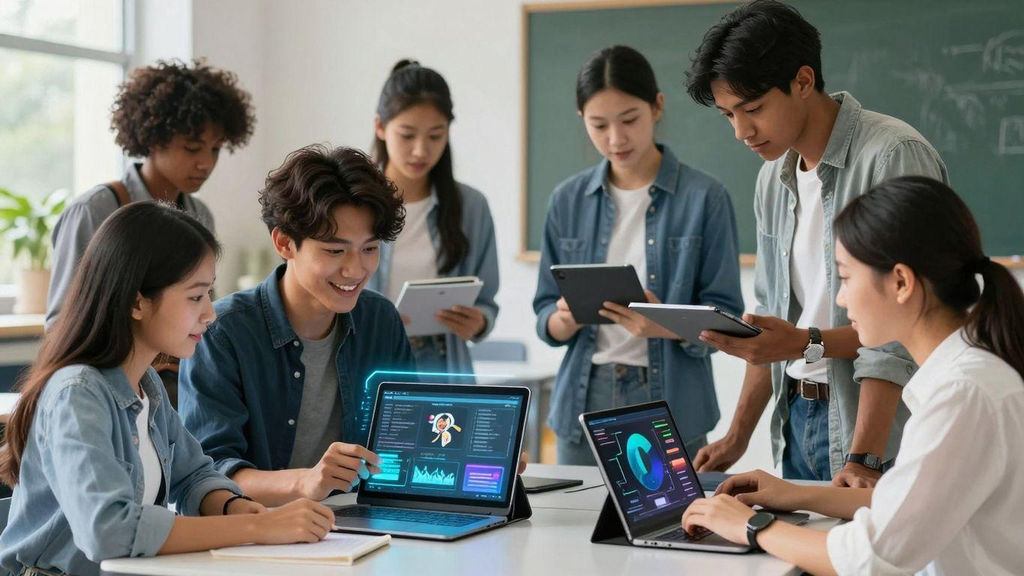
Traditional classroom learning remains important, but students now have access to learning opportunities beyond the classroom.
A student can:
Learn through online courses.
Practice through interactive quizzes.
Research through digital libraries.
Collaborate through online documents.
Create presentations, videos and digital projects.
Review lessons through recorded educational content.
This flexibility can be particularly useful for students with different learning preferences and schedules.
However, technology isn’t automatically beneficial simply because it is digital.
Students still need critical thinking, discipline, reliable information and guidance.
1. Use AI as a Learning Assistant—Not a Shortcut
Artificial intelligence is becoming an increasingly visible part of education and everyday digital life.
AI tools can help students:
- Brainstorm ideas
- Explain difficult concepts
- Generate practice questions
- Summarize information
- Improve writing
- Create study plans
- Explore different perspectives
- Practice languages
- Organize ideas
However, students should avoid using AI simply to complete assignments without understanding the material.
A better approach is to use AI as a learning assistant.
For example, instead of asking:
“Write my entire assignment.”
Try:
“Explain this topic in simple language and give me five questions I can use to test my understanding.”
The second approach encourages active learning.
Students should also verify important information because AI-generated content can contain inaccuracies, outdated information or misleading statements.
Smart technology use requires human judgment.
2. Make Online Courses Part of Your Learning Strategy
Online education gives students opportunities to learn beyond their school or university curriculum.
Students can explore subjects such as:
- Digital marketing
- Programming
- Graphic design
- Business
- Finance
- Data analytics
- Artificial intelligence
- Communication
- Entrepreneurship
- Foreign languages
Online courses can also help students develop practical skills that complement academic education.
But don’t sign up for dozens of courses without completing them.
A better strategy is:
Choose → Learn → Practice → Apply → Review.
For example, if you’re learning digital marketing, don’t just watch videos.
Create a small project, analyze a website, write sample content or build a basic campaign.
Application turns information into practical knowledge.
3. Use Digital Note-Taking to Organize Knowledge
Students often collect huge amounts of information but struggle to find it later.
Digital note-taking tools can make organization easier.
You can organize notes into categories such as:
Subject → Chapter → Topic → Key Concepts → Examples → Questions
Useful digital features may include:
- Search
- Tags
- Folders
- Checklists
- Links
- Images
- Voice notes
- Cloud synchronization
However, copying everything from a textbook or lecture isn’t necessarily effective.
Try writing information in your own words.
Ask yourself:
“Could I explain this concept to another student?”
If the answer is yes, you’ve probably processed the information rather than simply copied it.
4. Use Educational Videos Strategically
Educational videos can make complex topics easier to visualize.
For example:
A biology student can watch an animation explaining cellular processes.
A programming student can follow a coding demonstration.
A history student can explore documentaries and historical visualizations.
A mathematics student can watch step-by-step problem-solving explanations.
But there is a potential problem: passive watching.
Watching a 60-minute educational video without taking notes or practicing doesn’t guarantee understanding.
Instead:
Watch → Pause → Take notes → Practice → Explain.
After watching a lesson, close the video and explain the concept in your own words.
This simple technique can reveal whether you actually understood the material.
5. Use Technology for Active Recall and Practice
One of the most useful ways to use technology is through practice.
Instead of repeatedly reading the same chapter, create questions that test your memory.
Digital flashcards and quiz tools can help students practice:
- Vocabulary
- Definitions
- Formulas
- Dates
- Concepts
- Key terms
- Foreign-language words
For example:
Question: What is photosynthesis?
Answer: A biological process through which plants use light energy to help produce chemical energy from carbon dioxide and water.
The important part isn’t simply reading the answer.
Try answering before revealing it.
That turns technology into an active learning tool rather than another source of passive content.
6. Improve Collaboration With Digital ToolsStudents often collect huge amounts of information but struggle to find it later.
Digital note-taking tools can make organization easier.
You can organize notes into categories such as:
Subject → Chapter → Topic → Key Concepts → Examples → Questions
Useful digital features may include:
- Search
- Tags
- Folders
- Checklists
- Links
- Images
- Voice notes
- Cloud synchronization
However, copying everything from a textbook or lecture isn’t necessarily effective.
Try writing information in your own words.
Ask yourself:
“Could I explain this concept to another student?”
If the answer is yes, you’ve probably processed the information rather than simply copied it.
4. Use Educational Videos Strategically
Educational videos can make complex topics easier to visualize.
For example:
A biology student can watch an animation explaining cellular processes.
A programming student can follow a coding demonstration.
A history student can explore documentaries and historical visualizations.
A mathematics student can watch step-by-step problem-solving explanations.
But there is a potential problem: passive watching.
Watching a 60-minute educational video without taking notes or practicing doesn’t guarantee understanding.
Instead:
Watch → Pause → Take notes → Practice → Explain.
After watching a lesson, close the video and explain the concept in your own words.
This simple technique can reveal whether you actually understood the material.
5. Use Technology for Active Recall and Practice
One of the most useful ways to use technology is through practice.
Instead of repeatedly reading the same chapter, create questions that test your memory.
Digital flashcards and quiz tools can help students practice:
- Vocabulary
- Definitions
- Formulas
- Dates
- Concepts
- Key terms
- Foreign-language words
For example:
Question: What is photosynthesis?
Answer: A biological process through which plants use light energy to help produce chemical energy from carbon dioxide and water.
The important part isn’t simply reading the answer.
Try answering before revealing it.
That turns technology into an active learning tool rather than another source of passive content.
6. Improve Collaboration With Digital ToolsStudents often collect huge amounts of information but struggle to find it later.
Digital note-taking tools can make organization easier.
You can organize notes into categories such as:
Subject → Chapter → Topic → Key Concepts → Examples → Questions
Useful digital features may include:
- Search
- Tags
- Folders
- Checklists
- Links
- Images
- Voice notes
- Cloud synchronization
However, copying everything from a textbook or lecture isn’t necessarily effective.
Try writing information in your own words.
Ask yourself:
“Could I explain this concept to another student?”
If the answer is yes, you’ve probably processed the information rather than simply copied it.
4. Use Educational Videos Strategically
Educational videos can make complex topics easier to visualize.
For example:
A biology student can watch an animation explaining cellular processes.
A programming student can follow a coding demonstration.
A history student can explore documentaries and historical visualizations.
A mathematics student can watch step-by-step problem-solving explanations.
But there is a potential problem: passive watching.
Watching a 60-minute educational video without taking notes or practicing doesn’t guarantee understanding.
Instead:
Watch → Pause → Take notes → Practice → Explain.
After watching a lesson, close the video and explain the concept in your own words.
This simple technique can reveal whether you actually understood the material.
5. Use Technology for Active Recall and Practice
One of the most useful ways to use technology is through practice.
Instead of repeatedly reading the same chapter, create questions that test your memory.
Digital flashcards and quiz tools can help students practice:
- Vocabulary
- Definitions
- Formulas
- Dates
- Concepts
- Key terms
- Foreign-language words
For example:
Question: What is photosynthesis?
Answer: A biological process through which plants use light energy to help produce chemical energy from carbon dioxide and water.
The important part isn’t simply reading the answer.
Try answering before revealing it.
That turns technology into an active learning tool rather than another source of passive content.
6. Improve Collaboration With Digital ToolsStudents often collect huge amounts of information but struggle to find it later.
Digital note-taking tools can make organization easier.
You can organize notes into categories such as:
Subject → Chapter → Topic → Key Concepts → Examples → Questions
Useful digital features may include:
- Search
- Tags
- Folders
- Checklists
- Links
- Images
- Voice notes
- Cloud synchronization
However, copying everything from a textbook or lecture isn’t necessarily effective.
Try writing information in your own words.
Ask yourself:
“Could I explain this concept to another student?”
If the answer is yes, you’ve probably processed the information rather than simply copied it.
4. Use Educational Videos Strategically
Educational videos can make complex topics easier to visualize.
For example:
A biology student can watch an animation explaining cellular processes.
A programming student can follow a coding demonstration.
A history student can explore documentaries and historical visualizations.
A mathematics student can watch step-by-step problem-solving explanations.
But there is a potential problem: passive watching.
Watching a 60-minute educational video without taking notes or practicing doesn’t guarantee understanding.
Instead:
Watch → Pause → Take notes → Practice → Explain.
After watching a lesson, close the video and explain the concept in your own words.
This simple technique can reveal whether you actually understood the material.
5. Use Technology for Active Recall and Practice
One of the most useful ways to use technology is through practice.
Instead of repeatedly reading the same chapter, create questions that test your memory.
Digital flashcards and quiz tools can help students practice:
- Vocabulary
- Definitions
- Formulas
- Dates
- Concepts
- Key terms
- Foreign-language words
For example:
Question: What is photosynthesis?
Answer: A biological process through which plants use light energy to help produce chemical energy from carbon dioxide and water.
The important part isn’t simply reading the answer.
Try answering before revealing it.
That turns technology into an active learning tool rather than another source of passive content.
6. Improve Collaboration With Digital ToolsStudents often collect huge amounts of information but struggle to find it later.
Digital note-taking tools can make organization easier.
You can organize notes into categories such as:
Subject → Chapter → Topic → Key Concepts → Examples → Questions
Useful digital features may include:
- Search
- Tags
- Folders
- Checklists
- Links
- Images
- Voice notes
- Cloud synchronization
However, copying everything from a textbook or lecture isn’t necessarily effective.
Try writing information in your own words.
Ask yourself:
“Could I explain this concept to another student?”
If the answer is yes, you’ve probably processed the information rather than simply copied it.
4. Use Educational Videos Strategically
Educational videos can make complex topics easier to visualize.
For example:
A biology student can watch an animation explaining cellular processes.
A programming student can follow a coding demonstration.
A history student can explore documentaries and historical visualizations.
A mathematics student can watch step-by-step problem-solving explanations.
But there is a potential problem: passive watching.
Watching a 60-minute educational video without taking notes or practicing doesn’t guarantee understanding.
Instead:
Watch → Pause → Take notes → Practice → Explain.
After watching a lesson, close the video and explain the concept in your own words.
This simple technique can reveal whether you actually understood the material.
5. Use Technology for Active Recall and Practice
One of the most useful ways to use technology is through practice.
Instead of repeatedly reading the same chapter, create questions that test your memory.
Digital flashcards and quiz tools can help students practice:
- Vocabulary
- Definitions
- Formulas
- Dates
- Concepts
- Key terms
- Foreign-language words
For example:
Question: What is photosynthesis?
Answer: A biological process through which plants use light energy to help produce chemical energy from carbon dioxide and water.
The important part isn’t simply reading the answer.
Try answering before revealing it.
That turns technology into an active learning tool rather than another source of passive content.
6. Improve Collaboration With Digital ToolsStudents often collect huge amounts of information but struggle to find it later.
Digital note-taking tools can make organization easier.
You can organize notes into categories such as:
Subject → Chapter → Topic → Key Concepts → Examples → Questions
Useful digital features may include:
- Search
- Tags
- Folders
- Checklists
- Links
- Images
- Voice notes
- Cloud synchronization
However, copying everything from a textbook or lecture isn’t necessarily effective.
Try writing information in your own words.
Ask yourself:
“Could I explain this concept to another student?”
If the answer is yes, you’ve probably processed the information rather than simply copied it.
4. Use Educational Videos Strategically
Educational videos can make complex topics easier to visualize.
For example:
A biology student can watch an animation explaining cellular processes.
A programming student can follow a coding demonstration.
A history student can explore documentaries and historical visualizations.
A mathematics student can watch step-by-step problem-solving explanations.
But there is a potential problem: passive watching.
Watching a 60-minute educational video without taking notes or practicing doesn’t guarantee understanding.
Instead:
Watch → Pause → Take notes → Practice → Explain.
After watching a lesson, close the video and explain the concept in your own words.
This simple technique can reveal whether you actually understood the material.
5. Use Technology for Active Recall and Practice
One of the most useful ways to use technology is through practice.
Instead of repeatedly reading the same chapter, create questions that test your memory.
Digital flashcards and quiz tools can help students practice:
- Vocabulary
- Definitions
- Formulas
- Dates
- Concepts
- Key terms
- Foreign-language words
For example:
Question: What is photosynthesis?
Answer: A biological process through which plants use light energy to help produce chemical energy from carbon dioxide and water.
The important part isn’t simply reading the answer.
Try answering before revealing it.
That turns technology into an active learning tool rather than another source of passive content.
6. Improve Collaboration With Digital Tools
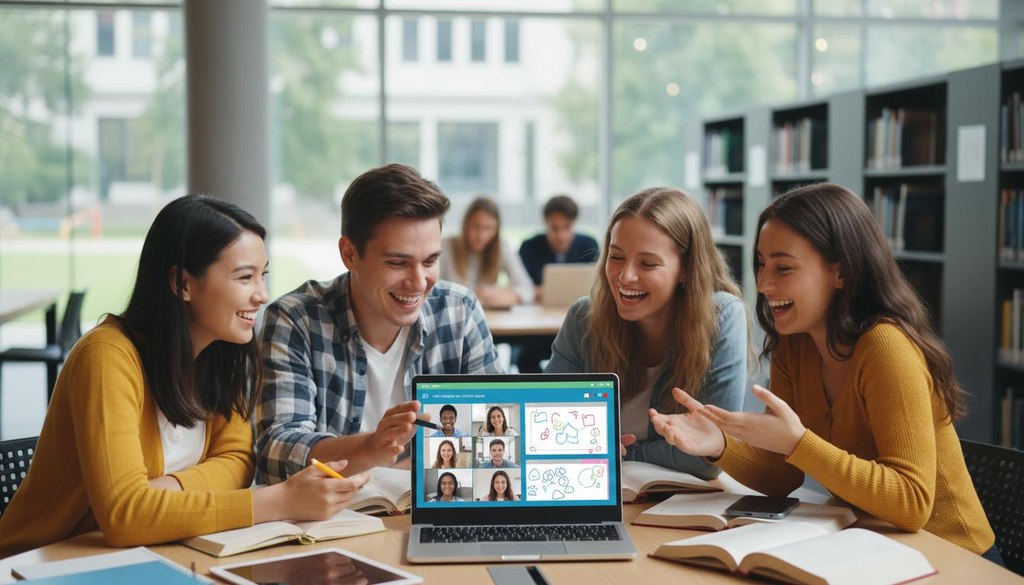
Learning doesn’t always have to happen alone.
Digital collaboration tools allow students to work together even when they aren’t physically in the same room.
Students can collaborate on:
- Group assignments
- Presentations
- Research projects
- Shared notes
- Study groups
- Peer reviews
- Brainstorming sessions
Effective collaboration requires more than creating a shared document.
Students should divide responsibilities, establish deadlines and communicate clearly.
For example:
Student A: Research
Student B: Data collection
Student C: Presentation design
Student D: Editing and quality check
Technology can make coordination easier, but teamwork still depends on communication and accountability.
7. Use Productivity Technology to Manage Your Time
Students often don’t struggle because they lack information.
They struggle because they have too much information and too little time.
Digital calendars, task managers and reminder applications can help students organize academic responsibilities.
Try creating three categories:
Today
Tasks that need immediate attention.
This Week
Important assignments and preparation.
Later
Tasks that don’t require immediate action.
You can also divide large projects into smaller deadlines.
Instead of writing:
“Complete assignment.”
Write:
- Research topic
- Find reliable sources
- Create outline
- Write introduction
- Complete main sections
- Edit
- Add references
- Proofread
- Submit
Breaking large tasks into smaller steps can make them easier to manage.
8. Learn to Identify Reliable InformationLearning doesn’t always have to happen alone.
Digital collaboration tools allow students to work together even when they aren’t physically in the same room.
Students can collaborate on:
- Group assignments
- Presentations
- Research projects
- Shared notes
- Study groups
- Peer reviews
- Brainstorming sessions
Effective collaboration requires more than creating a shared document.
Students should divide responsibilities, establish deadlines and communicate clearly.
For example:
Student A: Research
Student B: Data collection
Student C: Presentation design
Student D: Editing and quality check
Technology can make coordination easier, but teamwork still depends on communication and accountability.
7. Use Productivity Technology to Manage Your Time
Students often don’t struggle because they lack information.
They struggle because they have too much information and too little time.
Digital calendars, task managers and reminder applications can help students organize academic responsibilities.
Try creating three categories:
Today
Tasks that need immediate attention.
This Week
Important assignments and preparation.
Later
Tasks that don’t require immediate action.
You can also divide large projects into smaller deadlines.
Instead of writing:
“Complete assignment.”
Write:
- Research topic
- Find reliable sources
- Create outline
- Write introduction
- Complete main sections
- Edit
- Add references
- Proofread
- Submit
Breaking large tasks into smaller steps can make them easier to manage.
8. Learn to Identify Reliable InformationLearning doesn’t always have to happen alone.
Digital collaboration tools allow students to work together even when they aren’t physically in the same room.
Students can collaborate on:
- Group assignments
- Presentations
- Research projects
- Shared notes
- Study groups
- Peer reviews
- Brainstorming sessions
Effective collaboration requires more than creating a shared document.
Students should divide responsibilities, establish deadlines and communicate clearly.
For example:
Student A: Research
Student B: Data collection
Student C: Presentation design
Student D: Editing and quality check
Technology can make coordination easier, but teamwork still depends on communication and accountability.
7. Use Productivity Technology to Manage Your Time
Students often don’t struggle because they lack information.
They struggle because they have too much information and too little time.
Digital calendars, task managers and reminder applications can help students organize academic responsibilities.
Try creating three categories:
Today
Tasks that need immediate attention.
This Week
Important assignments and preparation.
Later
Tasks that don’t require immediate action.
You can also divide large projects into smaller deadlines.
Instead of writing:
“Complete assignment.”
Write:
- Research topic
- Find reliable sources
- Create outline
- Write introduction
- Complete main sections
- Edit
- Add references
- Proofread
- Submit
Breaking large tasks into smaller steps can make them easier to manage.
8. Learn to Identify Reliable InformationLearning doesn’t always have to happen alone.
Digital collaboration tools allow students to work together even when they aren’t physically in the same room.
Students can collaborate on:
- Group assignments
- Presentations
- Research projects
- Shared notes
- Study groups
- Peer reviews
- Brainstorming sessions
Effective collaboration requires more than creating a shared document.
Students should divide responsibilities, establish deadlines and communicate clearly.
For example:
Student A: Research
Student B: Data collection
Student C: Presentation design
Student D: Editing and quality check
Technology can make coordination easier, but teamwork still depends on communication and accountability.
7. Use Productivity Technology to Manage Your Time
Students often don’t struggle because they lack information.
They struggle because they have too much information and too little time.
Digital calendars, task managers and reminder applications can help students organize academic responsibilities.
Try creating three categories:
Today
Tasks that need immediate attention.
This Week
Important assignments and preparation.
Later
Tasks that don’t require immediate action.
You can also divide large projects into smaller deadlines.
Instead of writing:
“Complete assignment.”
Write:
- Research topic
- Find reliable sources
- Create outline
- Write introduction
- Complete main sections
- Edit
- Add references
- Proofread
- Submit
Breaking large tasks into smaller steps can make them easier to manage.
8. Learn to Identify Reliable Information
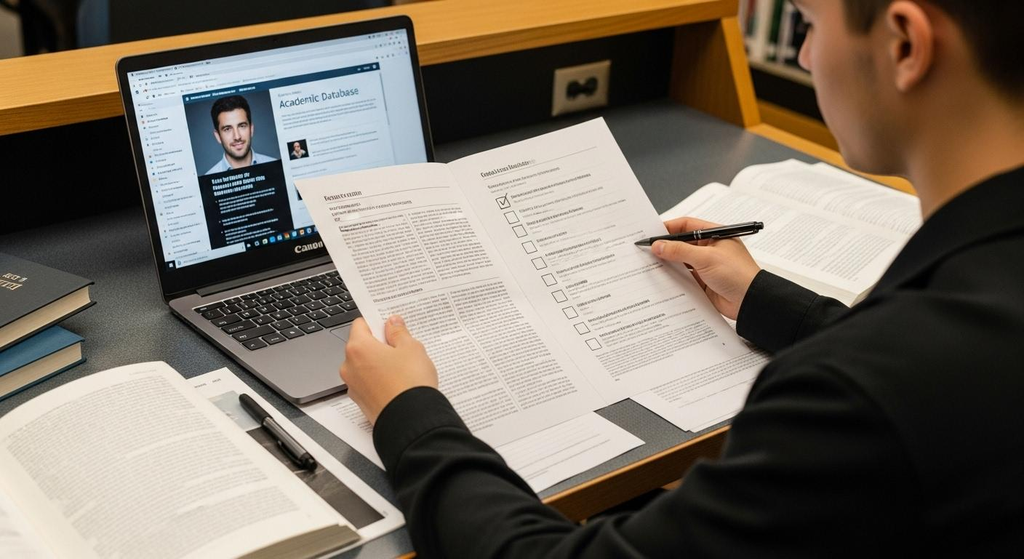
The internet provides enormous amounts of information.
But available information isn’t the same as reliable information.
Students should develop digital literacy—the ability to find, evaluate and use information responsibly.
Before using a source, consider:
- Who created it?
- Is the author identifiable?
- What are their qualifications?
- When was it published or updated?
- Does it provide evidence?
- Are claims supported by reputable sources?
- Is the website trying to sell something?
- Can the information be confirmed elsewhere?
For academic work, prioritize credible sources such as educational institutions, government agencies, established research organizations, academic publications and reputable professional organizations where appropriate.
Don’t automatically trust information simply because it appears high in search results.
9. Protect Your Digital Well-Being
Technology can improve learning, but excessive screen use and constant notifications can make concentration difficult.
Students can create healthier digital habits by:
- Turning off unnecessary notifications
- Using focused study sessions
- Taking regular screen breaks
- Keeping social-media apps away during study time
- Avoiding unnecessary multitasking
- Maintaining offline hobbies
- Spending time with friends and family
- Protecting sleep time
The objective isn’t to eliminate technology.
It’s to control your technology use rather than allowing technology to control your attention.
A Simple Technology for Smarter Learning Routine
Here’s a practical routine students can adapt:
Before Studying
📱 Put unnecessary notifications on silent.
During Learning
💻 Use one primary learning resource and take notes.
After Each Topic
📝 Create 3–5 questions to test yourself.
Every Few Days
🔄 Review previous material.
Weekly
📊 Check your progress and identify weak areas.
Before an Exam
🧠 Focus on active recall, practice questions and explaining concepts rather than simply rereading everything.
This creates a cycle:
Learn → Practice → Review → Apply → Improve.
The Future of Technology for Smarter Learning
Technology will continue to influence education.
Artificial intelligence, adaptive learning platforms, immersive experiences, digital collaboration and personalized educational tools may provide students with new ways to learn.
But technology itself isn’t the final answer.
The most important skills remain:
Curiosity.
Critical thinking.
Creativity.
Communication.
Problem-solving.
Consistency.
Technology can provide powerful tools, but students still need to decide how and when to use them.
Conclusion: Learn Smarter, Not Just Longer
Technology for Smarter Learning is about using digital tools with purpose.
A laptop, smartphone or AI tool doesn’t automatically make someone a better learner.
The difference comes from how the technology is used.
Use online resources to explore.
Use AI to support understanding.
Use digital tools to organize your studies.
Use educational platforms to practice.
Use collaboration tools to work with others.
And most importantly, verify information and think critically.
The future of learning isn’t simply about having more technology.
It’s about becoming a smarter, more independent and responsible learner who knows how to use technology effectively.
Don’t just study harder. Use technology to learn smarter.The internet provides enormous amounts of information.
But available information isn’t the same as reliable information.
Students should develop digital literacy—the ability to find, evaluate and use information responsibly.
Before using a source, consider:
- Who created it?
- Is the author identifiable?
- What are their qualifications?
- When was it published or updated?
- Does it provide evidence?
- Are claims supported by reputable sources?
- Is the website trying to sell something?
- Can the information be confirmed elsewhere?
For academic work, prioritize credible sources such as educational institutions, government agencies, established research organizations, academic publications and reputable professional organizations where appropriate.
Don’t automatically trust information simply because it appears high in search results.
9. Protect Your Digital Well-Being
Technology can improve learning, but excessive screen use and constant notifications can make concentration difficult.
Students can create healthier digital habits by:
- Turning off unnecessary notifications
- Using focused study sessions
- Taking regular screen breaks
- Keeping social-media apps away during study time
- Avoiding unnecessary multitasking
- Maintaining offline hobbies
- Spending time with friends and family
- Protecting sleep time
The objective isn’t to eliminate technology.
It’s to control your technology use rather than allowing technology to control your attention.
A Simple Technology for Smarter Learning Routine
Here’s a practical routine students can adapt:
Before Studying
📱 Put unnecessary notifications on silent.
During Learning
💻 Use one primary learning resource and take notes.
After Each Topic
📝 Create 3–5 questions to test yourself.
Every Few Days
🔄 Review previous material.
Weekly
📊 Check your progress and identify weak areas.
Before an Exam
🧠 Focus on active recall, practice questions and explaining concepts rather than simply rereading everything.
This creates a cycle:
Learn → Practice → Review → Apply → Improve.
The Future of Technology for Smarter Learning
Technology will continue to influence education.
Artificial intelligence, adaptive learning platforms, immersive experiences, digital collaboration and personalized educational tools may provide students with new ways to learn.
But technology itself isn’t the final answer.
The most important skills remain:
Curiosity.
Critical thinking.
Creativity.
Communication.
Problem-solving.
Consistency.
Technology can provide powerful tools, but students still need to decide how and when to use them.
Conclusion: Learn Smarter, Not Just Longer
Technology for Smarter Learning is about using digital tools with purpose.
A laptop, smartphone or AI tool doesn’t automatically make someone a better learner.
The difference comes from how the technology is used.
Use online resources to explore.
Use AI to support understanding.
Use digital tools to organize your studies.
Use educational platforms to practice.
Use collaboration tools to work with others.
And most importantly, verify information and think critically.
The future of learning isn’t simply about having more technology.
It’s about becoming a smarter, more independent and responsible learner who knows how to use technology effectively.
Don’t just study harder. Use technology to learn smarter.The internet provides enormous amounts of information.
But available information isn’t the same as reliable information.
Students should develop digital literacy—the ability to find, evaluate and use information responsibly.
Before using a source, consider:
- Who created it?
- Is the author identifiable?
- What are their qualifications?
- When was it published or updated?
- Does it provide evidence?
- Are claims supported by reputable sources?
- Is the website trying to sell something?
- Can the information be confirmed elsewhere?
For academic work, prioritize credible sources such as educational institutions, government agencies, established research organizations, academic publications and reputable professional organizations where appropriate.
Don’t automatically trust information simply because it appears high in search results.
9. Protect Your Digital Well-Being
Technology can improve learning, but excessive screen use and constant notifications can make concentration difficult.
Students can create healthier digital habits by:
- Turning off unnecessary notifications
- Using focused study sessions
- Taking regular screen breaks
- Keeping social-media apps away during study time
- Avoiding unnecessary multitasking
- Maintaining offline hobbies
- Spending time with friends and family
- Protecting sleep time
The objective isn’t to eliminate technology.
It’s to control your technology use rather than allowing technology to control your attention.
A Simple Technology for Smarter Learning Routine
Here’s a practical routine students can adapt:
Before Studying
📱 Put unnecessary notifications on silent.
During Learning
💻 Use one primary learning resource and take notes.
After Each Topic
📝 Create 3–5 questions to test yourself.
Every Few Days
🔄 Review previous material.
Weekly
📊 Check your progress and identify weak areas.
Before an Exam
🧠 Focus on active recall, practice questions and explaining concepts rather than simply rereading everything.
This creates a cycle:
Learn → Practice → Review → Apply → Improve.
The Future of Technology for Smarter Learning
Technology will continue to influence education.
Artificial intelligence, adaptive learning platforms, immersive experiences, digital collaboration and personalized educational tools may provide students with new ways to learn.
But technology itself isn’t the final answer.
The most important skills remain:
Curiosity.
Critical thinking.
Creativity.
Communication.
Problem-solving.
Consistency.
Technology can provide powerful tools, but students still need to decide how and when to use them.
Conclusion: Learn Smarter, Not Just Longer
Technology for Smarter Learning is about using digital tools with purpose.
A laptop, smartphone or AI tool doesn’t automatically make someone a better learner.
The difference comes from how the technology is used.
Use online resources to explore.
Use AI to support understanding.
Use digital tools to organize your studies.
Use educational platforms to practice.
Use collaboration tools to work with others.
And most importantly, verify information and think critically.
The future of learning isn’t simply about having more technology.
It’s about becoming a smarter, more independent and responsible learner who knows how to use technology effectively.
Don’t just study harder. Use technology to learn smarter.The internet provides enormous amounts of information.
But available information isn’t the same as reliable information.
Students should develop digital literacy—the ability to find, evaluate and use information responsibly.
Before using a source, consider:
- Who created it?
- Is the author identifiable?
- What are their qualifications?
- When was it published or updated?
- Does it provide evidence?
- Are claims supported by reputable sources?
- Is the website trying to sell something?
- Can the information be confirmed elsewhere?
For academic work, prioritize credible sources such as educational institutions, government agencies, established research organizations, academic publications and reputable professional organizations where appropriate.
Don’t automatically trust information simply because it appears high in search results.
9. Protect Your Digital Well-Being
Technology can improve learning, but excessive screen use and constant notifications can make concentration difficult.
Students can create healthier digital habits by:
- Turning off unnecessary notifications
- Using focused study sessions
- Taking regular screen breaks
- Keeping social-media apps away during study time
- Avoiding unnecessary multitasking
- Maintaining offline hobbies
- Spending time with friends and family
- Protecting sleep time
The objective isn’t to eliminate technology.
It’s to control your technology use rather than allowing technology to control your attention.
A Simple Technology for Smarter Learning Routine
Here’s a practical routine students can adapt:
Before Studying
📱 Put unnecessary notifications on silent.
During Learning
💻 Use one primary learning resource and take notes.
After Each Topic
📝 Create 3–5 questions to test yourself.
Every Few Days
🔄 Review previous material.
Weekly
📊 Check your progress and identify weak areas.
Before an Exam
🧠 Focus on active recall, practice questions and explaining concepts rather than simply rereading everything.
This creates a cycle:
Learn → Practice → Review → Apply → Improve.
The Future of Technology for Smarter Learning
Technology will continue to influence education.
Artificial intelligence, adaptive learning platforms, immersive experiences, digital collaboration and personalized educational tools may provide students with new ways to learn.
But technology itself isn’t the final answer.
The most important skills remain:
Curiosity.
Critical thinking.
Creativity.
Communication.
Problem-solving.
Consistency.
Technology can provide powerful tools, but students still need to decide how and when to use them.
Conclusion: Learn Smarter, Not Just Longer
Technology for Smarter Learning is about using digital tools with purpose.
A laptop, smartphone or AI tool doesn’t automatically make someone a better learner.
The difference comes from how the technology is used.
Use online resources to explore.
Use AI to support understanding.
Use digital tools to organize your studies.
Use educational platforms to practice.
Use collaboration tools to work with others.
And most importantly, verify information and think critically.
The future of learning isn’t simply about having more technology.
It’s about becoming a smarter, more independent and responsible learner who knows how to use technology effectively.
Don’t just study harder. Use technology to learn smarter.The internet provides enormous amounts of information.
But available information isn’t the same as reliable information.
Students should develop digital literacy—the ability to find, evaluate and use information responsibly.
Before using a source, consider:
- Who created it?
- Is the author identifiable?
- What are their qualifications?
- When was it published or updated?
- Does it provide evidence?
- Are claims supported by reputable sources?
- Is the website trying to sell something?
- Can the information be confirmed elsewhere?
For academic work, prioritize credible sources such as educational institutions, government agencies, established research organizations, academic publications and reputable professional organizations where appropriate.
Don’t automatically trust information simply because it appears high in search results.
9. Protect Your Digital Well-Being
Technology can improve learning, but excessive screen use and constant notifications can make concentration difficult.
Students can create healthier digital habits by:
- Turning off unnecessary notifications
- Using focused study sessions
- Taking regular screen breaks
- Keeping social-media apps away during study time
- Avoiding unnecessary multitasking
- Maintaining offline hobbies
- Spending time with friends and family
- Protecting sleep time
The objective isn’t to eliminate technology.
It’s to control your technology use rather than allowing technology to control your attention.
A Simple Technology for Smarter Learning Routine
Here’s a practical routine students can adapt:
Before Studying
📱 Put unnecessary notifications on silent.
During Learning
💻 Use one primary learning resource and take notes.
After Each Topic
📝 Create 3–5 questions to test yourself.
Every Few Days
🔄 Review previous material.
Weekly
📊 Check your progress and identify weak areas.
Before an Exam
🧠 Focus on active recall, practice questions and explaining concepts rather than simply rereading everything.
This creates a cycle:
Learn → Practice → Review → Apply → Improve.
The Future of Technology for Smarter Learning
Technology will continue to influence education.
Artificial intelligence, adaptive learning platforms, immersive experiences, digital collaboration and personalized educational tools may provide students with new ways to learn.
But technology itself isn’t the final answer.
The most important skills remain:
Curiosity.
Critical thinking.
Creativity.
Communication.
Problem-solving.
Consistency.
Technology can provide powerful tools, but students still need to decide how and when to use them.
Conclusion: Learn Smarter, Not Just Longer
Technology for Smarter Learning is about using digital tools with purpose.
A laptop, smartphone or AI tool doesn’t automatically make someone a better learner.
The difference comes from how the technology is used.
Use online resources to explore.
Use AI to support understanding.
Use digital tools to organize your studies.
Use educational platforms to practice.
Use collaboration tools to work with others.
And most importantly, verify information and think critically.
The future of learning isn’t simply about having more technology.
It’s about becoming a smarter, more independent and responsible learner who knows how to use technology effectively.
Don’t just study harder. Use technology to learn smarter.https://chatgpt.com/