Student Tech Hacks: Work Smarter, Study Better & Save Time
Being a student today means dealing with much more than textbooks and notebooks.
Your laptop, smartphone, cloud storage, online classrooms, productivity apps and AI tools can all become part of your daily study routine. Used correctly, technology can help you organize information, collaborate with classmates, research faster and manage your time.
But there’s another side.
Too many notifications, distracting apps, disorganized files and endless social-media scrolling can make studying harder.
That’s why learning a few practical Student Tech Hacks can make a significant difference.
The goal isn’t to use more technology.
The goal is to use technology more intelligently.
In this guide students tech hacks, you’ll discover practical technology tips that can help students improve productivity, organization, studying, online safety and digital well-being.
1. Turn Your Phone Into a Study Tool
Your smartphone can be one of your biggest distractions—or one of your most useful study tools.
Instead of immediately opening social media whenever you pick up your phone, organize it around your priorities.
Useful features include:
-
- Calendar reminders
-
- Notes
-
- To-do lists
-
- Flashcard apps
-
- Document scanning
-
- Voice recordings
-
- Cloud storage
-
- Focus modes
-
- Educational apps
Create a dedicated folder for education-related apps so they’re easy to find.
You can also remove distracting apps from your home screen.
The principle is simple: make productive actions easier and distracting actions harder.
2. Use Cloud Storage to Protect Your Assignments
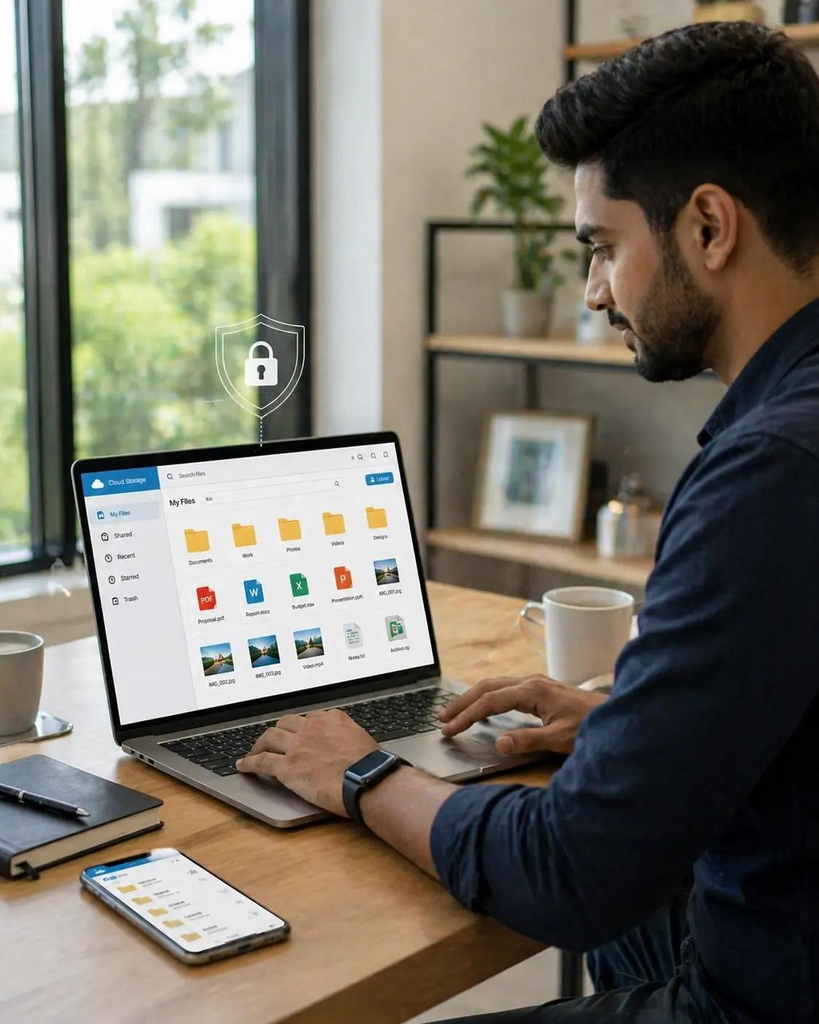
Losing an assignment because your laptop crashes can be extremely frustrating.
Cloud storage can reduce this risk by keeping copies of important files online.
Create folders such as:
College → Semester 1 → Subject → Assignments
You can then save documents using clear names such as:
Marketing_Assignment_Final.docx
instead of:
assignmentfinalfinal2.docx
Services such as Google Drive, Microsoft OneDrive and Dropbox can be useful depending on your needs and institution.
Remember that cloud storage isn’t a substitute for good account security. Use strong, unique passwords and enable multi-factor authentication when available.
3. Create a Digital Calendar
Deadlines can quickly become overwhelming when they’re scattered across notebooks, WhatsApp messages, emails and classroom platforms.
A digital calendar gives you one place to track important dates.
Add:
-
- Assignment deadlines
-
- Exams
-
- Presentations
-
- Project meetings
-
- Application deadlines
-
- Classes
-
- Personal commitments
Set reminders before deadlines rather than only on the due date.
For example:
7 days before: Start research
3 days before: Complete first draft
1 day before: Proofread
Deadline: Submit
This simple Student Tech Hack can turn last-minute panic into a manageable workflow.
4. Use the Pomodoro Technique With a Timer
Studying for hours without breaks doesn’t necessarily mean you’re studying effectively.
Try structured study sessions.
One popular approach is the Pomodoro Technique, where you work for a focused period and then take a short break.
A simple version:
25 minutes: Focused study
5 minutes: Break
25 minutes: Focused study
5 minutes: Break
After several cycles, take a longer break.
You can adjust the timing according to your concentration and workload.
The important part is creating a clear boundary between focus time and break time.
5. Use AI as a Learning Assistant—Not a Replacement
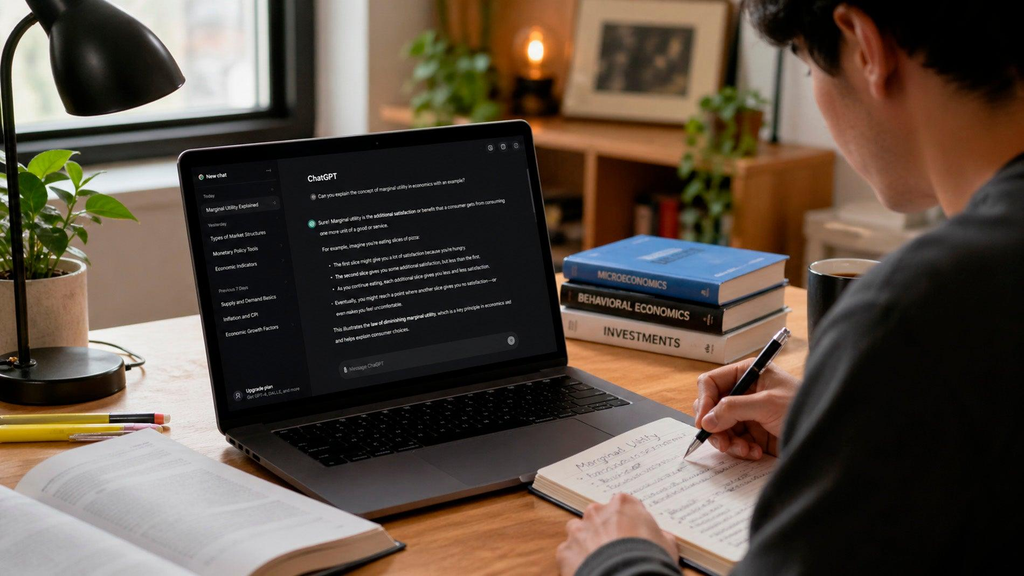
Artificial intelligence has become an increasingly important part of modern education.
Students can use AI tools to:
-
- Brainstorm ideas
-
- Explain difficult concepts
-
- Generate practice questions
-
- Summarize information for review
-
- Improve writing clarity
-
- Create study plans
-
- Practice interviews
-
- Explore alternative explanations
However, responsible use matters.
Don’t simply copy AI-generated answers and submit them as your own work.
Instead, use AI to understand, question, practice and improve.
Always check important information against reliable sources, particularly for academic research, statistics and technical claims.
Also follow your school’s or university’s rules regarding AI-assisted work.
6. Convert Long Notes Into Flashcards
Flashcards can make revision more active.
Instead of repeatedly reading an entire chapter, turn important concepts into questions.
For example:
Question: What is SEO?
Answer: Search engine optimization is the process of improving a website’s visibility in search engine results.
You can create digital flashcards using appropriate study apps or even a simple spreadsheet.
Focus on:
-
- Definitions
-
- Formulas
-
- Dates
-
- Concepts
-
- Vocabulary
-
- Key theories
-
- Important facts
Active recall can make revision more engaging than simply rereading notes.
7. Scan Your Paper Notes
Still using notebooks?
That’s completely fine.
You can combine traditional note-taking with digital organization by scanning important pages.
A smartphone scanning app can turn paper documents into digital files.
This can be useful for:
-
- Class notes
-
- Handwritten diagrams
-
- Important formulas
-
- Revision sheets
-
- Receipts
-
- Project documents
Store the scanned files in clearly labeled folders so they’re easy to find later.
8. Learn Keyboard Shortcuts
One of the simplest Student Tech Hacks is also one of the most overlooked.
Keyboard shortcuts can save small amounts of time repeatedly.
Useful Windows shortcuts include:
Ctrl + C — Copy
Ctrl + V — Paste
Ctrl + X — Cut
Ctrl + Z — Undo
Ctrl + F — Find
Ctrl + S — Save
Alt + Tab — Switch applications
Windows + Shift + S — Screenshot selection
Learning even 10 useful shortcuts can make everyday computer work faster.
9. Use Browser Tabs Strategically
Having 30 browser tabs open doesn’t necessarily mean you’re productive.
Instead, organize research into groups.
For example:
Research
-
- Journal article
-
- University website
-
- Industry report
Assignment
-
- Document
-
- References
-
- Notes
Personal
-
- Calendar
Close tabs that aren’t currently relevant.
If your browser supports tab groups, use them to separate projects.
10. Use a Password Manager
Students often reuse passwords because remembering dozens of passwords is difficult.
That’s risky.
A password manager can help you generate and store unique passwords.
Use:
-
- Strong unique passwords
-
- Multi-factor authentication
-
- Device screen locks
-
- Recovery options
Never share passwords through public chats or store them in easily accessible notes.
Your academic accounts, email and cloud storage may contain valuable personal information, so digital security should be part of your student routine.
11. Protect Yourself From PhishingArtificial intelligence has become an increasingly important part of modern education.
Students can use AI tools to:
-
- Brainstorm ideas
-
- Explain difficult concepts
-
- Generate practice questions
-
- Summarize information for review
-
- Improve writing clarity
-
- Create study plans
-
- Practice interviews
-
- Explore alternative explanations
However, responsible use matters.
Don’t simply copy AI-generated answers and submit them as your own work.
Instead, use AI to understand, question, practice and improve.
Always check important information against reliable sources, particularly for academic research, statistics and technical claims.
Also follow your school’s or university’s rules regarding AI-assisted work.
12. Keep Your Laptop Organized
Your desktop shouldn’t become a dumping ground for hundreds of files.
Create a simple structure:
Documents
→ College
→ Projects
→ Personal
Within your college folder:
Semester → Subject → Assignments
Delete unnecessary downloads periodically.
A clean digital workspace makes finding files much easier.
13. Use Focus Mode to Reduce Distractions
Notifications can interrupt concentration repeatedly.
Use your phone or computer’s focus features to temporarily silence:
-
- Social media
-
- Shopping apps
-
- Games
-
- Non-essential notifications
-
- Group chats
Keep important calls or emergency contacts available when necessary.
Try creating a dedicated Study Mode that automatically activates during your planned study sessions.
14. Use Productivity Tools for Group Projects
Group projects can become chaotic when everyone communicates in different places.
Consider using shared documents, task boards or project-management tools where appropriate.
Assign:
Task → Person → Deadline → Status
For example:Students can receive fake emails and messages pretending to come from universities, banks, delivery companies or online services.
Be cautious if a message:
-
- Creates extreme urgency
-
- Requests your password
-
- Asks for financial information
-
- Contains suspicious links
-
- Uses unusual email addresses
-
- Promises something that seems too good to be true
Before clicking a link, check where it actually leads.
When in doubt, navigate directly to the organization’s official website instead of using the link in the message.
15. Back Up Important Files
Don’t depend on a single device.
Important assignments, certificates, resumes and project files should ideally have another copy.
A basic backup strategy could include:
Laptop + Cloud Storage + External Drive
You don’t necessarily need all three for every file, but important documents deserve extra protection.
16. Use Technology to Build Better Study Habits
Technology becomes more powerful when it supports consistent habits.
You could create a simple digital dashboard containing:
-
- Today’s tasks
-
- Upcoming deadlines
-
- Study goals
-
- Reading list
-
- Exercise reminder
-
- Important appointments
Check it once in the morning and once in the evening.
Avoid turning productivity tools themselves into another distraction.
17. Track Your Screen Time
Sometimes you may believe you’ve spent 30 minutes on your phone when an hour has actually passed.
Screen-time tools can help you understand where your time goes.
Don’t use the data to criticize yourself.
Use it to identify patterns.
If social media takes two hours every evening, you can experiment with reducing it by 15–30 minutes.
Small changes can accumulate.
18. Make Your Study Environment More Comfortable
Your technology setup doesn’t need to be expensive.
Focus on basics:
-
- Comfortable seating
-
- Appropriate screen height
-
- Good lighting
-
- Organized cables
-
- Stable internet connection
-
- Headphones when appropriate
-
- Regular movement breaks
A comfortable environment can make long study sessions more manageable.
If you experience persistent pain, headaches or vision problems while using devices, consider seeking appropriate professional advice.
19. Learn One New Digital Skill Every Month
Technology changes quickly.
Instead of trying to learn everything, choose one useful skill.
For example:
Month 1: Excel
Month 2: Canva
Month 3: Presentation design
Month 4: Basic AI prompting
Month 5: Data visualization
Month 6: Basic website creation
By the end of a year, you could have developed several practical skills that strengthen your academic and professional toolkit.
20. Don’t Let Technology Control Your Day
This may be the most important Student Tech Hack of all.
Technology should support your goals—not consume all your attention.
Remember to:
-
- Take screen breaks
-
- Spend time offline
-
- Meet people face-to-face
-
- Exercise
-
- Sleep properly
-
- Read physical books sometimes
-
- Enjoy hobbies without screens
Being digitally productive doesn’t mean being online all day.
Your Student Tech Hacks Checklist
Save this quick checklist:
☐ Organize your digital files
☐ Use cloud backup
☐ Create a digital calendar
☐ Try focused study sessions
☐ Use AI responsibly
☐ Create digital flashcards
☐ Learn keyboard shortcuts
☐ Use a password manager
☐ Enable multi-factor authentication
☐ Watch for phishing
☐ Reduce unnecessary notifications
☐ Back up important assignments
☐ Track your screen time
☐ Learn one digital skill each month
☐ Schedule regular offline time
Conclusion: Use Technology to Become a Smarter Student
The best Student Tech Hacks aren’t necessarily complicated.
A better-organized laptop, a digital calendar, cloud backups, focused study sessions and stronger cybersecurity habits can make your student life easier.
The key is intentionality.
Don’t download every productivity app or follow every technology trend. Choose tools that solve actual problems in your academic or personal life.
Use AI to learn—not simply to copy.
Use your smartphone to organize—not just to scroll.
Use your laptop to create—not just consume.
And most importantly, remember that technology is a tool.
You control the tool; the tool shouldn’t control you.
Start with two or three hacks from this guide today. Once they become habits, add a few more.
Small digital improvements can eventually create a much more organized, productive and confident student.Clear responsibilities reduce confusion.https://chatgpt.com/