
Introduction: Technology Is Changing How Students Learn
Imagine having your notes, assignments, research resources, project-management tools, online courses and communication platforms available from a single device.
That is the advantage of modern Technology & Web Tools.
For today’s students, technology is no longer limited to typing assignments or searching Google. Students can use digital tools to organize their schedules, collaborate with classmates, attend online courses, create presentations, analyze information, learn new skills and build professional portfolios.
Research published in Humanities and Social Sciences Communications found evidence that access to laptops in an Indian educational context was associated with improvements in foundational mathematics proficiency and other education-related outcomes, although technology access and its benefits can vary across students and contexts.
However, having access to technology doesn’t automatically make someone a better student.
The real advantage comes from knowing which tools to use, how to use them effectively, and when technology becomes a distraction.
Let’s explore how students can make Technology & Web Tools part of a smarter learning strategy.
What Are Technology & Web Tools?
Technology & Web Tools are digital applications, platforms and online resources that help people perform specific tasks.
For students, these tools can support:
- Research
- Note-taking
- Online learning
- Communication
- Project management
- Writing
- Presentations
- Data analysis
- Collaboration
- Time management
- Skill development
- Career preparation
Examples include cloud-storage platforms, online document editors, video-conferencing software, learning-management systems, design applications, productivity platforms, coding environments and AI-powered tools.
The important thing isn’t to use the maximum number of tools.
It’s to choose the right tool for the right task.
1. Use Digital Note-Taking Tools to Stay OrganizedIntroduction: Technology Is Changing How Students Learn
Imagine having your notes, assignments, research resources, project-management tools, online courses and communication platforms available from a single device.
That is the advantage of modern Technology & Web Tools.
For today’s students, technology is no longer limited to typing assignments or searching Google. Students can use digital tools to organize their schedules, collaborate with classmates, attend online courses, create presentations, analyze information, learn new skills and build professional portfolios.
Research published in Humanities and Social Sciences Communications found evidence that access to laptops in an Indian educational context was associated with improvements in foundational mathematics proficiency and other education-related outcomes, although technology access and its benefits can vary across students and contexts.
However, having access to technology doesn’t automatically make someone a better student.
The real advantage comes from knowing which tools to use, how to use them effectively, and when technology becomes a distraction.
Let’s explore how students can make Technology & Web Tools part of a smarter learning strategy.
What Are Technology & Web Tools?
Technology & Web Tools are digital applications, platforms and online resources that help people perform specific tasks.
For students, these tools can support:
- Research
- Note-taking
- Online learning
- Communication
- Project management
- Writing
- Presentations
- Data analysis
- Collaboration
- Time management
- Skill development
- Career preparation
Examples include cloud-storage platforms, online document editors, video-conferencing software, learning-management systems, design applications, productivity platforms, coding environments and AI-powered tools.
The important thing isn’t to use the maximum number of tools.
It’s to choose the right tool for the right task.
1. Use Digital Note-Taking Tools to Stay OrganizedIntroduction: Technology Is Changing How Students Learn
Imagine having your notes, assignments, research resources, project-management tools, online courses and communication platforms available from a single device.
That is the advantage of modern Technology & Web Tools.
For today’s students, technology is no longer limited to typing assignments or searching Google. Students can use digital tools to organize their schedules, collaborate with classmates, attend online courses, create presentations, analyze information, learn new skills and build professional portfolios.
Research published in Humanities and Social Sciences Communications found evidence that access to laptops in an Indian educational context was associated with improvements in foundational mathematics proficiency and other education-related outcomes, although technology access and its benefits can vary across students and contexts.
However, having access to technology doesn’t automatically make someone a better student.
The real advantage comes from knowing which tools to use, how to use them effectively, and when technology becomes a distraction.
Let’s explore how students can make Technology & Web Tools part of a smarter learning strategy.
What Are Technology & Web Tools?
Technology & Web Tools are digital applications, platforms and online resources that help people perform specific tasks.
For students, these tools can support:
- Research
- Note-taking
- Online learning
- Communication
- Project management
- Writing
- Presentations
- Data analysis
- Collaboration
- Time management
- Skill development
- Career preparation
Examples include cloud-storage platforms, online document editors, video-conferencing software, learning-management systems, design applications, productivity platforms, coding environments and AI-powered tools.
The important thing isn’t to use the maximum number of tools.
It’s to choose the right tool for the right task.
1. Use Digital Note-Taking Tools to Stay Organized
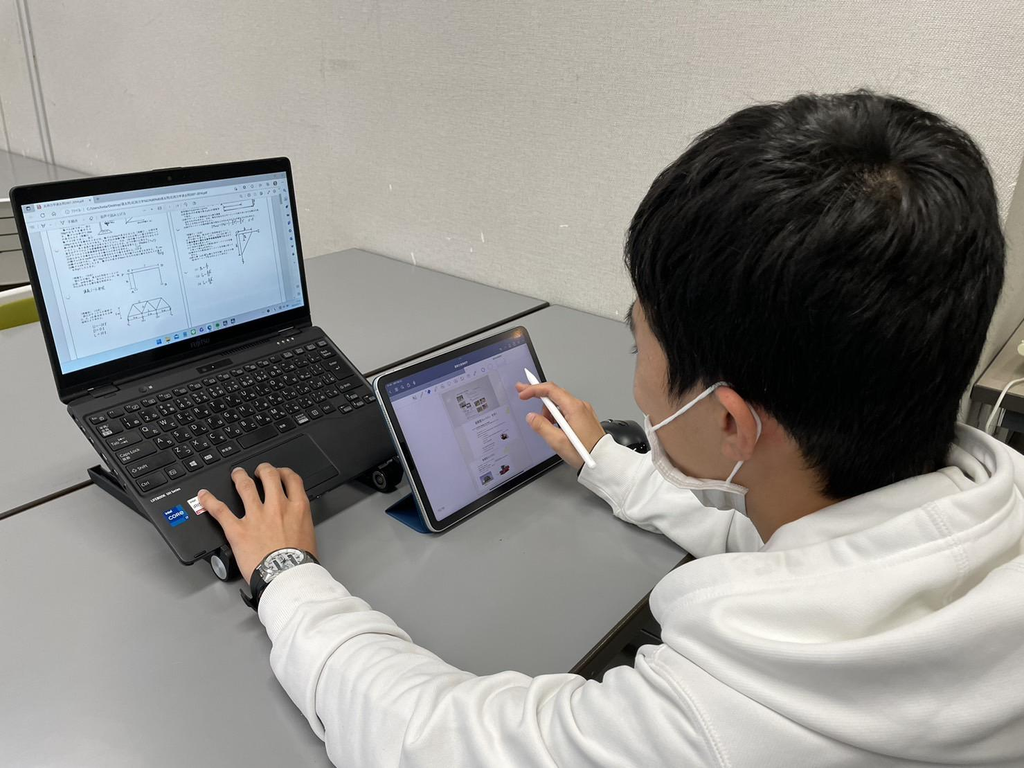
Students often collect information from lectures, textbooks, websites, videos and online courses.
Without organization, useful information can quickly become difficult to find.
Digital note-taking tools can help students organize information into folders, notebooks, documents or categories.
For example, you can create separate sections for:
- College subjects
- Assignment research
- Exam preparation
- Project ideas
- Career development
- Personal learning
Cloud-based tools can also make it easier to access documents across supported devices.
A simple note-taking strategy
Instead of copying everything your teacher says, focus on:
Key concept → Explanation → Example → Question
This encourages active learning rather than simply collecting large amounts of text.
2. Use Online Research Tools Carefully
The internet gives students access to enormous amounts of information.
But more information doesn’t always mean better information.
When researching an assignment, students should evaluate sources rather than automatically trusting the first search result.
Ask:
- Who created the information?
- What are their qualifications?
- When was it published or updated?
- Is evidence provided?
- Does the source cite reliable research?
- Is the information supported by other trustworthy sources?
- Is the website trying to sell something?
For academic work, prioritize sources such as universities, government organizations, recognized institutions, peer-reviewed research and established educational resources when appropriate.
This is an important part of E-E-A-T: Experience, Expertise, Authoritativeness and Trustworthiness.
3. Use AI Tools as Learning Assistants—Not Replacement Students

Artificial intelligence has introduced another category of Technology & Web Tools for students.
AI tools can potentially help students:
- Brainstorm ideas
- Explain difficult concepts
- Create practice questions
- Summarize information
- Improve writing clarity
- Generate study plans
- Debug code
- Practice interviews
- Explore alternative explanations
But students should avoid treating AI-generated answers as automatically correct.
A better approach is:
Ask → Check → Understand → Apply
For example, instead of asking an AI tool to write your entire assignment and submitting it, you could ask it to explain a difficult concept, create practice questions or provide feedback on your own draft.
Always follow your institution’s rules regarding AI use and academic integrity.
4. Collaboration Tools Make Group Projects Easier
Group assignments can become complicated when everyone has different schedules.
Digital collaboration tools can reduce some of this friction by allowing students to communicate, share documents and work on projects remotely.
Students can use collaboration platforms for:
- Shared documents
- Group presentations
- Project discussions
- Online meetings
- Task assignments
- File sharing
- Feedback
- Progress tracking
For example, a group project might be divided into:
Research → Writing → Design → Review → Presentation
Each student can take responsibility for a specific stage.
Research on technology use in education also highlights that access and digital skills aren’t equally distributed. A 2026 study of undergraduate students in Gujarat reported high awareness of ICT tools but also found that a portion of students lacked access to personal computers or laptops.
That means good digital learning strategies should also consider accessibility and affordability.
5. Use Productivity Tools to Manage Your Time
One of the biggest student challenges isn’t always a lack of information.
It’s managing everything at the same time.
Classes.
Assignments.
Exams.
Projects.
Part-time work.
Family responsibilities.
Social activities.
Productivity tools can help you create a clearer overview of your workload.
You can organize tasks according to:
Today
Tasks that require immediate attention.
This Week
Assignments and projects with upcoming deadlines.
Later
Long-term tasks that don’t require immediate action.
You can also use digital calendars to record:
- Exam dates
- Assignment deadlines
- Study sessions
- Meetings
- Application deadlines
- Personal commitments
The goal isn’t to turn your life into a complicated productivity system.
The goal is to reduce mental clutter.
6. Online Learning Platforms Can Help You Develop New SkillsArtificial intelligence has introduced another category of Technology & Web Tools for students.
AI tools can potentially help students:
- Brainstorm ideas
- Explain difficult concepts
- Create practice questions
- Summarize information
- Improve writing clarity
- Generate study plans
- Debug code
- Practice interviews
- Explore alternative explanations
But students should avoid treating AI-generated answers as automatically correct.
A better approach is:
Ask → Check → Understand → Apply
For example, instead of asking an AI tool to write your entire assignment and submitting it, you could ask it to explain a difficult concept, create practice questions or provide feedback on your own draft.
Always follow your institution’s rules regarding AI use and academic integrity.
4. Collaboration Tools Make Group Projects Easier
Group assignments can become complicated when everyone has different schedules.
Digital collaboration tools can reduce some of this friction by allowing students to communicate, share documents and work on projects remotely.
Students can use collaboration platforms for:
- Shared documents
- Group presentations
- Project discussions
- Online meetings
- Task assignments
- File sharing
- Feedback
- Progress tracking
For example, a group project might be divided into:
Research → Writing → Design → Review → Presentation
Each student can take responsibility for a specific stage.
Research on technology use in education also highlights that access and digital skills aren’t equally distributed. A 2026 study of undergraduate students in Gujarat reported high awareness of ICT tools but also found that a portion of students lacked access to personal computers or laptops.
That means good digital learning strategies should also consider accessibility and affordability.
5. Use Productivity Tools to Manage Your Time
One of the biggest student challenges isn’t always a lack of information.
It’s managing everything at the same time.
Classes.
Assignments.
Exams.
Projects.
Part-time work.
Family responsibilities.
Social activities.
Productivity tools can help you create a clearer overview of your workload.
You can organize tasks according to:
Today
Tasks that require immediate attention.
This Week
Assignments and projects with upcoming deadlines.
Later
Long-term tasks that don’t require immediate action.
You can also use digital calendars to record:
- Exam dates
- Assignment deadlines
- Study sessions
- Meetings
- Application deadlines
- Personal commitments
The goal isn’t to turn your life into a complicated productivity system.
The goal is to reduce mental clutter.
6. Online Learning Platforms Can Help You Develop New SkillsArtificial intelligence has introduced another category of Technology & Web Tools for students.
AI tools can potentially help students:
- Brainstorm ideas
- Explain difficult concepts
- Create practice questions
- Summarize information
- Improve writing clarity
- Generate study plans
- Debug code
- Practice interviews
- Explore alternative explanations
But students should avoid treating AI-generated answers as automatically correct.
A better approach is:
Ask → Check → Understand → Apply
For example, instead of asking an AI tool to write your entire assignment and submitting it, you could ask it to explain a difficult concept, create practice questions or provide feedback on your own draft.
Always follow your institution’s rules regarding AI use and academic integrity.
4. Collaboration Tools Make Group Projects Easier
Group assignments can become complicated when everyone has different schedules.
Digital collaboration tools can reduce some of this friction by allowing students to communicate, share documents and work on projects remotely.
Students can use collaboration platforms for:
- Shared documents
- Group presentations
- Project discussions
- Online meetings
- Task assignments
- File sharing
- Feedback
- Progress tracking
For example, a group project might be divided into:
Research → Writing → Design → Review → Presentation
Each student can take responsibility for a specific stage.
Research on technology use in education also highlights that access and digital skills aren’t equally distributed. A 2026 study of undergraduate students in Gujarat reported high awareness of ICT tools but also found that a portion of students lacked access to personal computers or laptops.
That means good digital learning strategies should also consider accessibility and affordability.
5. Use Productivity Tools to Manage Your Time
One of the biggest student challenges isn’t always a lack of information.
It’s managing everything at the same time.
Classes.
Assignments.
Exams.
Projects.
Part-time work.
Family responsibilities.
Social activities.
Productivity tools can help you create a clearer overview of your workload.
You can organize tasks according to:
Today
Tasks that require immediate attention.
This Week
Assignments and projects with upcoming deadlines.
Later
Long-term tasks that don’t require immediate action.
You can also use digital calendars to record:
- Exam dates
- Assignment deadlines
- Study sessions
- Meetings
- Application deadlines
- Personal commitments
The goal isn’t to turn your life into a complicated productivity system.
The goal is to reduce mental clutter.
6. Online Learning Platforms Can Help You Develop New SkillsArtificial intelligence has introduced another category of Technology & Web Tools for students.
AI tools can potentially help students:
- Brainstorm ideas
- Explain difficult concepts
- Create practice questions
- Summarize information
- Improve writing clarity
- Generate study plans
- Debug code
- Practice interviews
- Explore alternative explanations
But students should avoid treating AI-generated answers as automatically correct.
A better approach is:
Ask → Check → Understand → Apply
For example, instead of asking an AI tool to write your entire assignment and submitting it, you could ask it to explain a difficult concept, create practice questions or provide feedback on your own draft.
Always follow your institution’s rules regarding AI use and academic integrity.
4. Collaboration Tools Make Group Projects Easier
Group assignments can become complicated when everyone has different schedules.
Digital collaboration tools can reduce some of this friction by allowing students to communicate, share documents and work on projects remotely.
Students can use collaboration platforms for:
- Shared documents
- Group presentations
- Project discussions
- Online meetings
- Task assignments
- File sharing
- Feedback
- Progress tracking
For example, a group project might be divided into:
Research → Writing → Design → Review → Presentation
Each student can take responsibility for a specific stage.
Research on technology use in education also highlights that access and digital skills aren’t equally distributed. A 2026 study of undergraduate students in Gujarat reported high awareness of ICT tools but also found that a portion of students lacked access to personal computers or laptops.
That means good digital learning strategies should also consider accessibility and affordability.
5. Use Productivity Tools to Manage Your Time
One of the biggest student challenges isn’t always a lack of information.
It’s managing everything at the same time.
Classes.
Assignments.
Exams.
Projects.
Part-time work.
Family responsibilities.
Social activities.
Productivity tools can help you create a clearer overview of your workload.
You can organize tasks according to:
Today
Tasks that require immediate attention.
This Week
Assignments and projects with upcoming deadlines.
Later
Long-term tasks that don’t require immediate action.
You can also use digital calendars to record:
- Exam dates
- Assignment deadlines
- Study sessions
- Meetings
- Application deadlines
- Personal commitments
The goal isn’t to turn your life into a complicated productivity system.
The goal is to reduce mental clutter.
6. Online Learning Platforms Can Help You Develop New Skills
Your college curriculum is only one source of education.
Technology & Web Tools give students opportunities to learn skills beyond their formal coursework.
Depending on your interests, you might explore:
- Digital marketing
- Coding
- Graphic design
- Data analytics
- Public speaking
- Video editing
- Artificial intelligence
- Entrepreneurship
- Financial literacy
- Foreign languages
- Communication skills
Online learning can be particularly useful when combined with practical projects.
For example:
Learn SEO → Create a small website → Optimize it → Measure results → Add the project to your portfolio.
This turns theoretical knowledge into practical experience.
7. Use Presentation and Design Tools to Communicate Better
A great idea can lose impact if it is presented poorly.
Students frequently need to create:
- Presentations
- Posters
- Infographics
- Reports
- Social-media projects
- Academic portfolios
- Resume documents
Design and presentation tools can help students create more visually organized work.
But remember:
Good design is not about adding more effects.
Focus on:
- Clear headings
- Readable fonts
- Consistent formatting
- Simple visuals
- Logical structure
- Relevant images
- Limited text per slide
Your technology should support your message—not compete with it.
8. Don’t Let Technology Become Your Biggest Distraction
Technology can improve learning, but it can also reduce concentration.
Notifications, social media, entertainment and constant multitasking can interrupt study sessions.
Research on classroom laptop use has found evidence that multitasking and non-academic laptop activity can be associated with distraction and poorer learning outcomes in some classroom settings.
A simple solution is to create a focused technology environment.
During study sessions:
- Turn off unnecessary notifications.
- Close unrelated browser tabs.
- Keep your phone away when possible.
- Use website blockers if necessary.
- Study with one primary task at a time.
- Take planned breaks.
Technology should work for you, not constantly compete for your attention.
9. Protect Your Digital Privacy and Security
As students use more online services, digital security becomes increasingly important.
Basic habits can make a difference.
Use strong, unique passwords
Avoid using the same password across every account.
Enable multi-factor authentication
When available, MFA can add another layer of account protection.
Be careful with suspicious links
Don’t automatically click unexpected links in emails or messages.
Check app permissions
Understand what information an application requests.
Back up important files
Important assignments, projects and academic documents should not exist in only one location.
Digital skills aren’t only about productivity.
Knowing how to protect your information is also a technology skill.
10. Build Digital Skills for Your Future CareerYour college curriculum is only one source of education.
Technology & Web Tools give students opportunities to learn skills beyond their formal coursework.
Depending on your interests, you might explore:
- Digital marketing
- Coding
- Graphic design
- Data analytics
- Public speaking
- Video editing
- Artificial intelligence
- Entrepreneurship
- Financial literacy
- Foreign languages
- Communication skills
Online learning can be particularly useful when combined with practical projects.
For example:
Learn SEO → Create a small website → Optimize it → Measure results → Add the project to your portfolio.
This turns theoretical knowledge into practical experience.
7. Use Presentation and Design Tools to Communicate Better
A great idea can lose impact if it is presented poorly.
Students frequently need to create:
- Presentations
- Posters
- Infographics
- Reports
- Social-media projects
- Academic portfolios
- Resume documents
Design and presentation tools can help students create more visually organized work.
But remember:
Good design is not about adding more effects.
Focus on:
- Clear headings
- Readable fonts
- Consistent formatting
- Simple visuals
- Logical structure
- Relevant images
- Limited text per slide
Your technology should support your message—not compete with it.
8. Don’t Let Technology Become Your Biggest Distraction
Technology can improve learning, but it can also reduce concentration.
Notifications, social media, entertainment and constant multitasking can interrupt study sessions.
Research on classroom laptop use has found evidence that multitasking and non-academic laptop activity can be associated with distraction and poorer learning outcomes in some classroom settings.
A simple solution is to create a focused technology environment.
During study sessions:
- Turn off unnecessary notifications.
- Close unrelated browser tabs.
- Keep your phone away when possible.
- Use website blockers if necessary.
- Study with one primary task at a time.
- Take planned breaks.
Technology should work for you, not constantly compete for your attention.
9. Protect Your Digital Privacy and Security
As students use more online services, digital security becomes increasingly important.
Basic habits can make a difference.
Use strong, unique passwords
Avoid using the same password across every account.
Enable multi-factor authentication
When available, MFA can add another layer of account protection.
Be careful with suspicious links
Don’t automatically click unexpected links in emails or messages.
Check app permissions
Understand what information an application requests.
Back up important files
Important assignments, projects and academic documents should not exist in only one location.
Digital skills aren’t only about productivity.
Knowing how to protect your information is also a technology skill.
10. Build Digital Skills for Your Future CareerYour college curriculum is only one source of education.
Technology & Web Tools give students opportunities to learn skills beyond their formal coursework.
Depending on your interests, you might explore:
- Digital marketing
- Coding
- Graphic design
- Data analytics
- Public speaking
- Video editing
- Artificial intelligence
- Entrepreneurship
- Financial literacy
- Foreign languages
- Communication skills
Online learning can be particularly useful when combined with practical projects.
For example:
Learn SEO → Create a small website → Optimize it → Measure results → Add the project to your portfolio.
This turns theoretical knowledge into practical experience.
7. Use Presentation and Design Tools to Communicate Better
A great idea can lose impact if it is presented poorly.
Students frequently need to create:
- Presentations
- Posters
- Infographics
- Reports
- Social-media projects
- Academic portfolios
- Resume documents
Design and presentation tools can help students create more visually organized work.
But remember:
Good design is not about adding more effects.
Focus on:
- Clear headings
- Readable fonts
- Consistent formatting
- Simple visuals
- Logical structure
- Relevant images
- Limited text per slide
Your technology should support your message—not compete with it.
8. Don’t Let Technology Become Your Biggest Distraction
Technology can improve learning, but it can also reduce concentration.
Notifications, social media, entertainment and constant multitasking can interrupt study sessions.
Research on classroom laptop use has found evidence that multitasking and non-academic laptop activity can be associated with distraction and poorer learning outcomes in some classroom settings.
A simple solution is to create a focused technology environment.
During study sessions:
- Turn off unnecessary notifications.
- Close unrelated browser tabs.
- Keep your phone away when possible.
- Use website blockers if necessary.
- Study with one primary task at a time.
- Take planned breaks.
Technology should work for you, not constantly compete for your attention.
9. Protect Your Digital Privacy and Security
As students use more online services, digital security becomes increasingly important.
Basic habits can make a difference.
Use strong, unique passwords
Avoid using the same password across every account.
Enable multi-factor authentication
When available, MFA can add another layer of account protection.
Be careful with suspicious links
Don’t automatically click unexpected links in emails or messages.
Check app permissions
Understand what information an application requests.
Back up important files
Important assignments, projects and academic documents should not exist in only one location.
Digital skills aren’t only about productivity.
Knowing how to protect your information is also a technology skill.
10. Build Digital Skills for Your Future Career

One of the biggest advantages of Technology & Web Tools is that students can begin building career-ready skills before graduation.
For example, a student interested in digital marketing could learn:
- SEO
- Google Analytics
- Content marketing
- Social media marketing
- Email marketing
- Website management
- Basic HTML and CSS
- Search advertising
- Data visualization
A computer-science student might focus on:
- Programming
- Git
- Databases
- Cloud platforms
- AI
- Cybersecurity
- Web development
The exact tools will change over time.
That’s why students shouldn’t focus only on memorizing software interfaces.
Instead, develop transferable digital skills:
Research → Analyze → Create → Communicate → Adapt
These skills can remain useful even when individual platforms change.
A Simple Technology Toolkit for Students
You don’t need dozens of applications.
A basic digital toolkit could include:
| Student Need | Useful Tool Category |
|---|---|
| Notes | Digital note-taking |
| Assignments | Word/document editors |
| Research | Academic search & library resources |
| Storage | Cloud storage |
| Planning | Calendar/productivity tools |
| Group projects | Collaboration platforms |
| Presentations | Presentation/design tools |
| Learning | Online course platforms |
| AI assistance | AI learning assistants |
| Security | Password manager + MFA |
Choose tools based on your actual needs rather than downloading every popular application.
E-E-A-T: How Students Can Become Smarter Digital Researchers
When creating academic content or researching online, remember the four parts of E-E-A-T:
Experience
Does the source demonstrate real-world experience?
Expertise
Does the author have relevant knowledge or qualifications?
Authoritativeness
Is the publisher or organization recognized as a credible source?
Trustworthiness
Is the information transparent, supported by evidence and responsibly presented?
This approach is especially useful when researching technology, health, finance, science or other topics where inaccurate information can cause problems.
Final Thoughts: Use Technology to Learn, Not Just Consume
Technology & Web Tools can transform the student experience.
They can help you organize assignments, collaborate with classmates, access learning resources, develop professional skills and explore subjects beyond the classroom.
But technology itself isn’t the solution.
How you use it matters more than how many tools you have.
Start with a few tools that solve real problems in your student life.
Use technology to:
Learn → Organize → Create → Collaborate → Improve.
At the same time, protect your attention, verify information and maintain good digital-security habits.
The students who benefit most from technology aren’t necessarily those who use the most applications.
They are the ones who learn how to use digital tools intentionally.Choose tools based on your actual needs rather than downloading every popular application.